PIN-to-Drive
Last updated: August 10, 2026
PIN-to-Drive is a security feature for Tesla vehicles that prevents unauthorized driving. When enabled, the vehicle's touchscreen prompts for a 4-digit PIN before the car can be put in gear.
At this time, PIN-to-Drive is supported on Tesla vehicles only. Contact support if you don't see it on your vehicle's detail page.
Enabling Pin-to-Drive
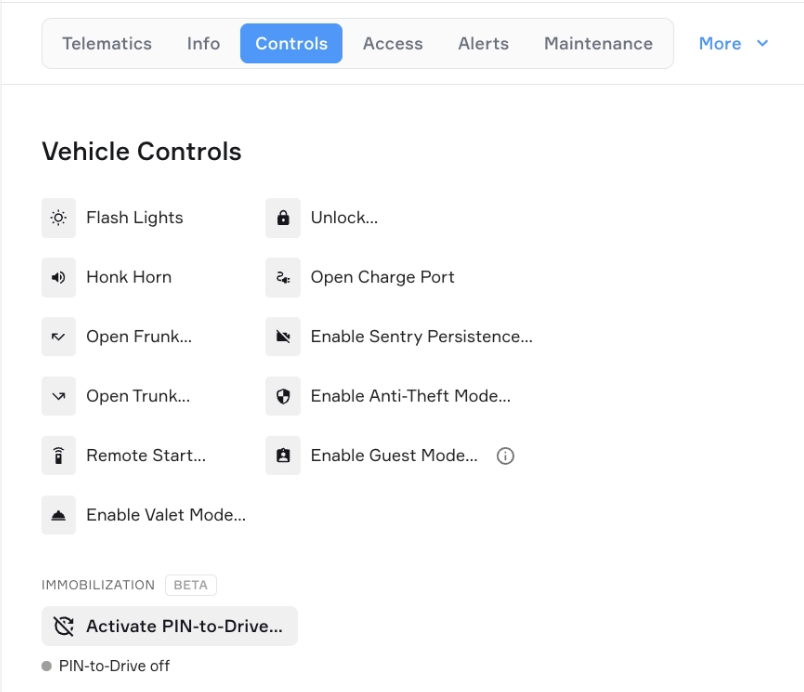
Open the vehicle's detail page in Standard Fleet.
In the Controls section, click Activate PIN-to-Drive.
Enter a 4-digit PIN, click Generate to create one automatically, or click Activate PIN-to-Drive.
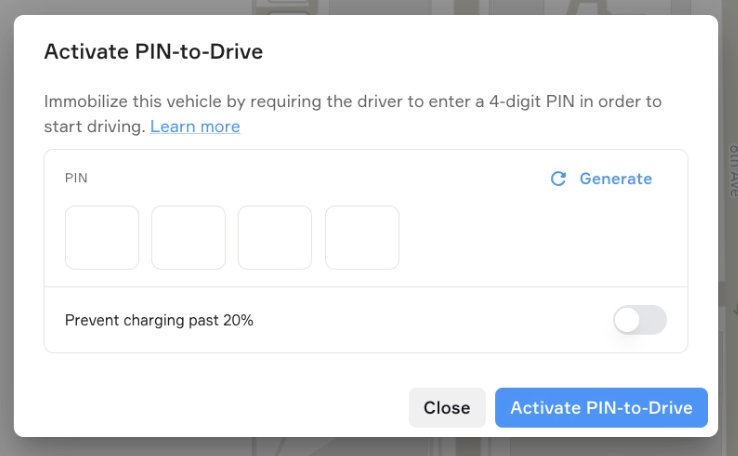
Click Activate PIN-to-Drive.
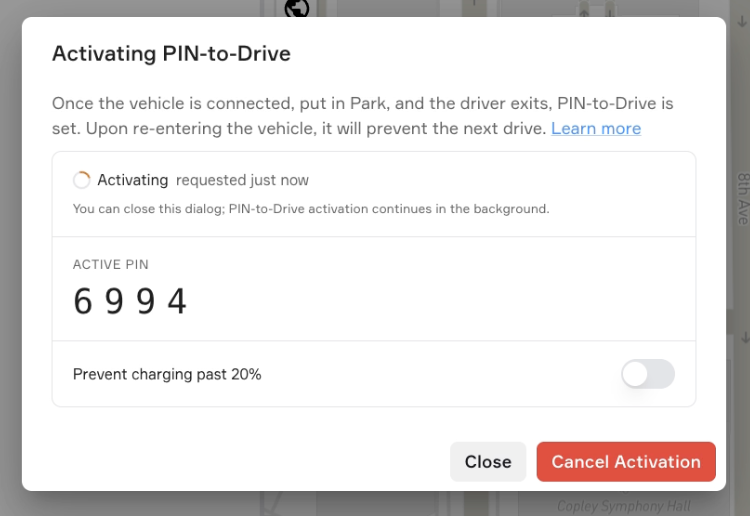
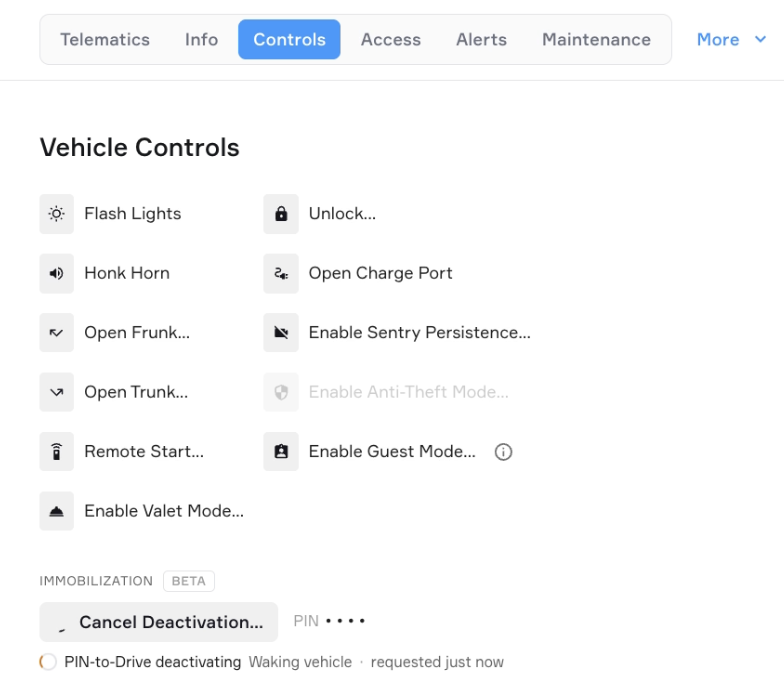
When you send a command, Standard Fleet will wake the vehicle first if it's asleep. This may take a moment!
You can also restrict charging to 20%.
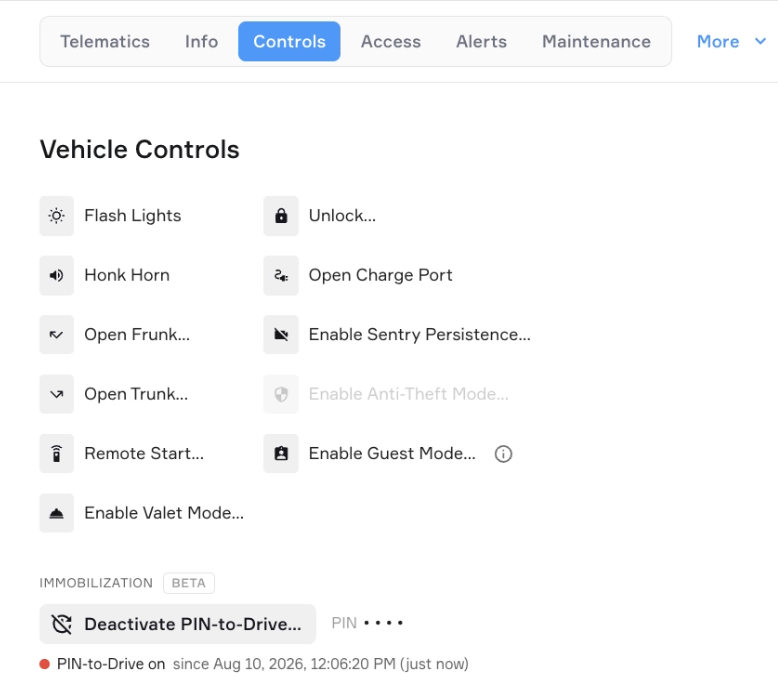
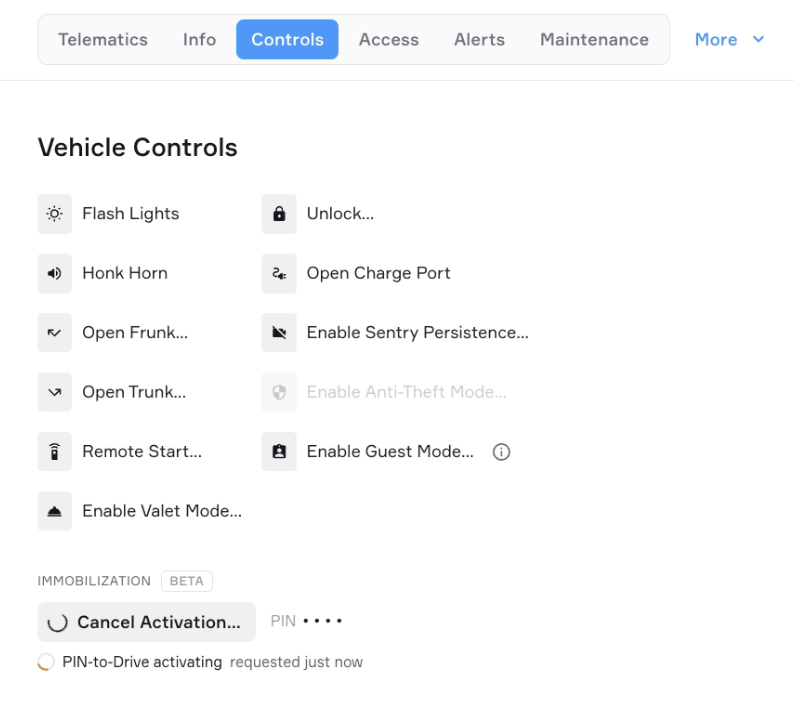
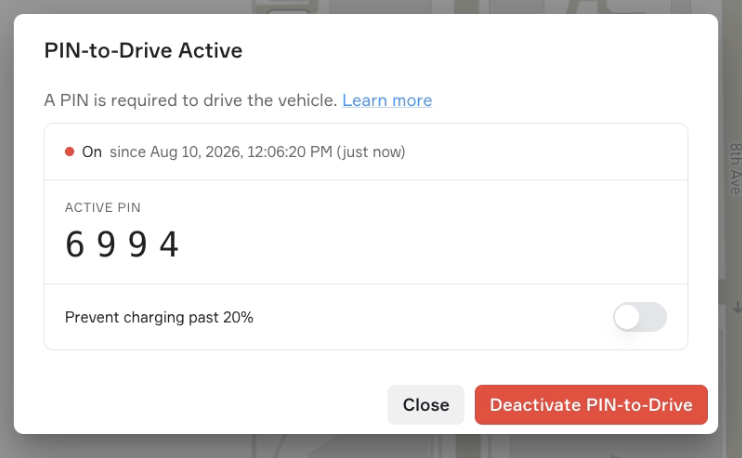
When PIN-to-drive is active, you’ll see that it’s active on the vehicle and how long it’s been active for.
If the vehicle is currently driving, Pin-to-Drive will activate the next time the vehicle is parked and the driver has exited the vehicle. The status will show Activating until the vehicle parks and confirms the PIN is set.
Disabling PIN-to-Drive
Open the vehicle's detail page in Standard Fleet.
In the Controls section, click PIN-to-Drive.
Click Disable.
The PIN is cleared immediately once the vehicle confirms the command. Drivers will no longer be prompted for a PIN.
You’ll see PIN-to-Drive deactivating.
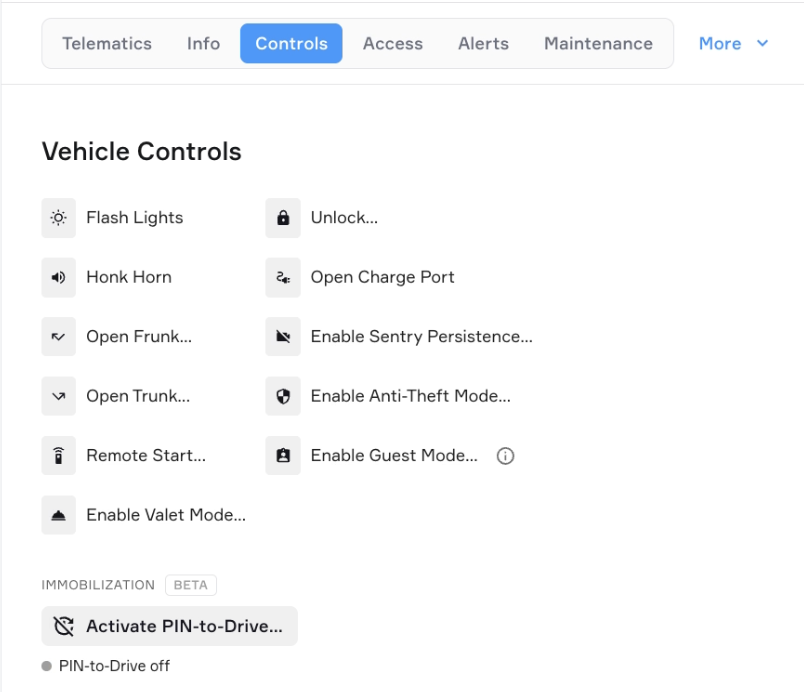
PIN-to-Drive will show as off and ready to be reactivated for next time.
PIN-to-Drive vs. Anti-Theft Mode
These are two separate security features that cannot be active at the same time:
PIN-to-Drive requires a PIN on the Tesla touchscreen before driving. The vehicle can still be entered; it just can't move without the PIN.
Anti-Theft Mode makes the vehicle inconvenient to drive when theft is suspected. When active, it limits speed and acceleration, prevents charging above 20%, and prevents frunk and glove box access. It takes effect the next time the vehicle is put in Park with mobile data access.